Tag: Digipixeline

  • 100+ Best AI Tools in 2026 – The Ultimate Guide for Every Business

    100+ Best AI Tools in 2026 – The Ultimate Guide for Every Business

    Artificial Intelligence has completely changed how businesses operate. Tasks that once required hours of manual effort can now be completed in minutes using AI tools. Whether you are a freelancer, startup, or agency, leveraging AI is no longer optional—it’s a necessity.

    At Digipixeline, we help businesses implement AI-driven strategies to boost productivity, automate workflows, and generate high-quality results. In this comprehensive guide, you will discover the best AI tools available today, categorized by use case, along with their features and official links.

    What Are AI Tools?

    AI tools are software applications powered by artificial intelligence that help automate tasks, generate content, analyze data, and improve decision-making. These tools use machine learning, natural language processing, and automation technologies to deliver faster and smarter outcomes.

    Why AI Tools Are Important in 2026

    AI tools provide several advantages:

    • Save time and effort
    • Increase productivity
    • Reduce operational costs
    • Improve accuracy
    • Scale business faster

    Businesses that adopt AI early gain a significant competitive advantage in the market.

    Categories of AI Tools Covered in This Blog

    This guide includes tools from the following categories:

    • AI Writing & Content Tools
    • AI Design & Image Tools
    • AI Video Tools
    • AI Voice Tools
    • AI SEO & Marketing Tools
    • AI Productivity Tools
    • AI Coding Tools

    1. AI Writing & Content Tools

    AI writing tools are essential for bloggers, marketers, and businesses. They help create blogs, ads, emails, and scripts quickly.

    Popular tools include ChatGPT, Jasper AI, Copy.ai, Writesonic, and Rytr. These tools can generate long-form content, improve grammar, and optimize writing for SEO.

    Advanced versions (paid plans) provide better quality output, faster speed, and additional features like brand voice customization and plagiarism checking.

    2. AI Design & Image Tools

    Design tools powered by AI allow users to create stunning visuals without professional design skills.

    Tools like Canva AI, MidJourney, and DALL·E can generate images from text prompts, while platforms like Remove.bg and Designify help with background removal and image enhancement.

    These tools are especially useful for social media managers, branding agencies, and eCommerce businesses.

    3. AI Video Creation Tools

    Video content is dominating digital platforms, and AI tools make video creation faster and more affordable.

    Tools like Pictory, Runway ML, Synthesia, and InVideo allow users to convert text into videos, add AI voiceovers, and automate editing.

    This is a game-changer for YouTube creators, marketers, and educators.

    4. AI Voice & Audio Tools

    AI voice tools generate realistic voiceovers for videos, ads, and podcasts.

    Platforms like ElevenLabs, Murf AI, and PlayHT offer high-quality voice synthesis with multiple accents and tones.

    These tools eliminate the need for professional voice artists in many cases.

    5. AI SEO & Marketing Tools

    SEO tools powered by AI help optimize content for search engines and improve rankings.

    Tools like Surfer SEO, SEMrush, and Ahrefs analyze keywords, competitors, and content performance.

    At Digipixeline, we use these tools to deliver better SEO results and increase organic traffic for our clients.

    6. AI Productivity & Automation Tools

    These tools help automate workflows and improve efficiency.

    Notion AI, Zapier, ClickUp AI, and Taskade are popular choices for managing tasks, automating processes, and organizing work.

    Automation saves time and reduces manual errors.

    7. AI Coding Tools

    AI coding tools assist developers in writing, debugging, and optimizing code.

    GitHub Copilot, Codeium, and Tabnine can generate code snippets and improve development speed.

    These tools are highly useful for developers and tech startups.

    How to Choose the Right AI Tool

    Before selecting an AI tool, consider:

    • Your business needs
    • Budget
    • Ease of use
    • Integration capabilities
    • Output quality

    Using the right combination of tools can significantly improve efficiency and results.

    Recommended AI Tool Stack by Digipixeline

    For best results, combine tools:

    • Content → ChatGPT + Jasper
    • Design → Canva + MidJourney
    • SEO → Surfer SEO
    • Video → Pictory + Runway
    • Automation → Zapier

    Free vs Paid AI Tools

    Free tools are suitable for beginners but come with limitations. Paid tools offer advanced features, better accuracy, and higher efficiency.

    For businesses, investing in premium tools is highly recommended.

    Future of AI Tools

    The future of AI includes:

    • Fully automated businesses
    • Personalized marketing
    • AI-driven analytics
    • Real-time decision-making

    Companies that adopt AI early will dominate their industries.

    100+ AI Tools List

    NoTool NameCategoryOfficial Website
    1ChatGPTWritinghttps://chat.openai.com/
    2Jasper AIWritinghttps://www.jasper.ai/
    3Copy.aiWritinghttps://www.copy.ai/
    4WritesonicWritinghttps://writesonic.com/
    5RytrWritinghttps://rytr.me/
    6AnywordWritinghttps://anyword.com/
    7WordtuneWritinghttps://www.wordtune.com/
    8SimplifiedWritinghttps://simplified.com/
    9PeppertypeWritinghttps://www.peppertype.ai/
    10ScalenutWritinghttps://www.scalenut.com/
    11CanvaDesignhttps://www.canva.com/
    12MidJourneyDesignhttps://www.midjourney.com/
    13DALL·EDesignhttps://openai.com/dall-e
    14Leonardo AIDesignhttps://leonardo.ai/
    15Adobe FireflyDesignhttps://www.adobe.com/firefly
    16Playground AIDesignhttps://playgroundai.com/
    17NightCafeDesignhttps://nightcafe.studio/
    18FotorDesignhttps://www.fotor.com/
    19PixlrDesignhttps://pixlr.com/
    20Remove.bgDesignhttps://www.remove.bg/
    21PictoryVideohttps://pictory.ai/
    22Runway MLVideohttps://runwayml.com/
    23SynthesiaVideohttps://www.synthesia.io/
    24Lumen5Videohttps://lumen5.com/
    25InVideoVideohttps://invideo.io/
    26Veed.ioVideohttps://www.veed.io/
    27DescriptVideohttps://www.descript.com/
    28FlexClipVideohttps://www.flexclip.com/
    29Elai.ioVideohttps://elai.io/
    30HeyGenVideohttps://www.heygen.com/
    31ElevenLabsVoicehttps://www.elevenlabs.io/
    32Murf AIVoicehttps://murf.ai/
    33PlayHTVoicehttps://play.ht/
    34Resemble AIVoicehttps://www.resemble.ai/
    35Lovo AIVoicehttps://www.lovo.ai/
    36SpeecheloVoicehttps://speechelo.com/
    37WellSaid LabsVoicehttps://wellsaidlabs.com/
    38VoicemodVoicehttps://www.voicemod.net/
    39ListnrVoicehttps://www.listnr.tech/
    40Surfer SEOSEOhttps://surferseo.com/
    41SEMrushSEOhttps://www.semrush.com/
    42AhrefsSEOhttps://ahrefs.com/
    43NeuronWriterSEOhttps://neuronwriter.com/
    44MarketMuseSEOhttps://www.marketmuse.com/
    45ClearscopeSEOhttps://www.clearscope.io/
    46OutrankingSEOhttps://www.outranking.io/
    47SEO.aiSEOhttps://seo.ai/
    48RankIQSEOhttps://www.rankiq.com/
    49DashwordSEOhttps://www.dashword.com/
    50Notion AIProductivityhttps://www.notion.so/product/ai
    51ZapierAutomationhttps://zapier.com/
    52MakeAutomationhttps://www.make.com/
    53ClickUpProductivityhttps://clickup.com/
    54TaskadeProductivityhttps://www.taskade.com/
    55Mem AIProductivityhttps://mem.ai/
    56Reclaim AIProductivityhttps://reclaim.ai/
    57MotionProductivityhttps://www.usemotion.com/
    58Tome AIProductivityhttps://tome.app/
    59BardeenAutomationhttps://www.bardeen.ai/
    60GitHub CopilotCodinghttps://github.com/features/copilot
    61CodeiumCodinghttps://codeium.com/
    62Replit AICodinghttps://replit.com/
    63TabnineCodinghttps://www.tabnine.com/
    64CodeWhispererCodinghttps://aws.amazon.com/codewhisperer/
    65Cursor AICodinghttps://cursor.sh/
    66AskCodiCodinghttps://www.askcodi.com/
    67Mutable AICodinghttps://mutable.ai/
    68CodigaCodinghttps://www.codiga.io/
    69Blackbox AICodinghttps://www.useblackbox.io/
    70FraseSEOhttps://www.frase.io/
    71ScalenutSEOhttps://www.scalenut.com/
    72WriterZenSEOhttps://writerzen.net/
    73Keyword InsightsSEOhttps://keywordinsights.ai/
    74GrowthBarSEOhttps://www.growthbarseo.com/
    75UizardDesignhttps://uizard.io/
    76LookaDesignhttps://looka.com/
    77BrandmarkDesignhttps://brandmark.io/
    78KhromaDesignhttp://khroma.co/
    79AutoDrawDesignhttps://www.autodraw.com/
    80IllustrokeDesignhttps://illustroke.com/
    81DreamStudioDesignhttps://dreamstudio.ai/
    82ArtbreederDesignhttps://www.artbreeder.com/
    83FlikiVideohttps://fliki.ai/
    84WisecutVideohttps://www.wisecut.video/
    85ColossyanVideohttps://www.colossyan.com/
    86Steve AIVideohttps://www.steve.ai/
    87Rephrase AIVideohttps://www.rephrase.ai/
    88Descript OverdubVoicehttps://www.descript.com/
    89HyperWriteWritinghttps://www.hyperwriteai.com/
    90CopymaticWritinghttps://copymatic.ai/
    91ContentBotWritinghttps://contentbot.ai/
    92TextCortexWritinghttps://textcortex.com/
    93NeuralTextWritinghttps://neuraltext.com/
    94ClosersCopyWritinghttps://www.closerscopy.com/
    95Article ForgeWritinghttps://www.articleforge.com/
    96Writer AIWritinghttps://writer.com/
    97SudowriteWritinghttps://www.sudowrite.com/
    98ShortlyAIWritinghttps://shortlyai.com/
    99INK EditorWritinghttps://inkforall.com/
    100QuillbotWritinghttps://quillbot.com/

    Conclusion

    AI tools are transforming the digital landscape. From content creation to automation, these tools help businesses save time, reduce costs, and scale faster.

    If you want to implement AI tools effectively in your business, Digipixeline can help you build powerful AI-driven systems for growth and success.

  • Why Google My Business Profile Is Important for Every Business

    Why Google My Business Profile Is Important for Every Business

    In today’s digital world, customers search online before choosing any product or service. Whether someone is looking for a restaurant, travel agency, salon, or digital marketing service, the first place they go is Google. If your business does not appear in local search results, you are losing potential customers every day.
    This is where Google My Business (GMB) plays a crucial role in business growth.

    What Is Google My Business?

    Google My Business is a free tool provided by Google that allows businesses to manage their online presence across Google Search and Google Maps. It helps you display important business details such as your name, address, phone number, website, business hours, photos, and customer reviews.

    In simple words, Google My Business is your digital storefront on Google.

    Why Google My Business Is Important for Business Growth

    1. Helps You Reach Local Customers Easily

    Most people search for services using terms like “near me” or “best service in my area.”
    A well-optimized Google My Business profile helps your business appear in local search results and Google Maps, making it easier for nearby customers to find you.

    This directly increases walk-in customers, phone calls, and inquiries.

    2. Improves Google Search Visibility

    Having a website alone is not enough. Google My Business supports local SEO, which helps your business rank higher in local search results.

    With an optimized GMB profile:

    • Your business appears in the local 3-pack results
    • You get better visibility on Google Maps
    • Your brand gains more online exposure

    This leads to consistent organic leads without paid ads.

    3. Builds Trust and Credibility

    Customers trust businesses that look professional and active online. A complete Google My Business profile with:

    • Positive reviews
    • High ratings
    • Updated photos
    • Accurate business information

    creates a strong first impression and builds customer confidence.

    ⭐ Businesses with good reviews always attract more customers.

    4. Free and Powerful Marketing Tool

    Google My Business is completely free, yet it works like a powerful marketing channel. You can:

    • Share business updates
    • Promote offers and discounts
    • Highlight new services or products
    • Post photos and announcements

    For small and local businesses, GMB is one of the most cost-effective marketing tools available.

    5. Direct Customer Interaction

    Google My Business allows customers to interact with your business directly. They can:

    • Call you with one click
    • Send messages
    • Get directions to your location
    • Ask questions and leave reviews

    By responding to reviews and messages, you can create a positive brand image and improve customer relationships.

    6. Provides Valuable Business Insights

    Google My Business offers detailed insights such as:

    • How many people viewed your profile
    • How customers found your business
    • Number of calls, website visits, and direction requests
    • Popular search keywords

    These insights help you understand customer behavior and improve your marketing strategy.

    7. Increases Website Traffic and Leads

    A GMB profile allows you to add your website link. When customers find your business on Google, they can directly visit your website.

    This results in:

    • Higher website traffic
    • Better lead generation
    • Improved conversion rates

    It acts as a bridge between local search and your website.

    8. Helps You Stay Ahead of Competitors

    If your competitors have an optimized Google My Business profile and you don’t, customers are more likely to choose them. Regular updates, photos, posts, and reviews help you stand out and stay ahead in local competition.

    How to Optimize Your Google My Business Profile

    To get the best results, your GMB profile should be properly optimized:

    • Complete all business details accurately
    • Choose the right business category
    • Upload high-quality photos regularly
    • Post updates and offers weekly
    • Encourage and respond to customer reviews
    • Add services and products

    Professional management ensures better visibility and long-term growth.

    How Digipixeline Can Help You

    At Digipixeline, we provide complete Google My Business solutions, including:

    • GMB profile setup and verification
    • Profile optimization for local SEO
    • Review and reputation management
    • Regular posts and updates
    • Performance tracking and insights

    Our goal is to help your business get maximum local visibility, leads, and growth.

    Conclusion

    Google My Business is not just an online listing—it is a powerful tool for local business success. If you want more visibility, more customers, and stronger trust on Google, having an optimized GMB profile is essential.

    Start growing your business locally with Google My Business and let Digipixeline manage it professionally for you.

  • What Is New In WordPress 6.9?

    What Is New In WordPress 6.9?

    WordPress continues to evolve as the world’s leading CMS, powering more than 43% of all websites globally. With every new version, WordPress introduces improvements that make website building faster, more intuitive, and more powerful for both developers and beginners. The latest release, WordPress 6.9, follows the same path with remarkable enhancements in performance, design control, accessibility, and workflow experience.

    If you’re a business owner, developer, or content creator using WordPress, this update is especially exciting. In this blog, we’ll break down everything new in WordPress 6.9, and why you should consider upgrading your website today.

    1. Major Performance Improvements

    Performance has been a major focus of recent WordPress updates, and 6.9 takes it even further. The update introduces:

    ✔ Faster loading times

    Thanks to optimized JavaScript execution and improved caching mechanisms, websites running WordPress 6.9 load noticeably faster. This helps improve SEO rankings, user experience, and conversion rates.

    ✔ More efficient database queries

    Heavy websites with large content libraries will benefit from better query handling, making admin tasks smoother and reducing server load.

    ✔ Dynamic block rendering improvements

    WordPress 6.9 makes block rendering much quicker, especially for sites using multiple global styles or heavy theme blocks.

    Whether you’re running a blog, business site, or an eCommerce store, these improvements create a smoother experience for your visitors.

    2. Enhanced Site Editor with Better Design Flexibility

    WordPress 6.9 brings huge updates to the Full Site Editing (FSE) experience, giving creators more freedom with visual design.

    ✔ New Design Tools

    More fine-tuning options have been added to control:

    • Border styles
    • Spacing
    • Typography
    • Color gradients
    • Shadows

    These tools make it easier to design pixel-perfect layouts without using custom CSS.

    ✔ Template Management Upgrades

    With WordPress 6.9, users can now:

    • Duplicate templates
    • Lock specific parts of templates
    • Manage custom template variations

    This is extremely useful for agencies and developers who create multiple layouts for clients.

    3. Block Editor (Gutenberg) Gets Smarter

    The Gutenberg editor continues to improve, and 6.9 introduces some standout features.

    ✔ Pattern Suggestions

    When creating sections like hero banners, FAQs, or galleries, WordPress now automatically suggests pre-built patterns to speed up design.

    ✔ Improved drag-and-drop

    Blocks are easier to move, resize, and nest, making the editing experience more intuitive.

    ✔ Better Reusable Blocks

    Reusable blocks—used across multiple pages—now update more reliably and include improved version control to avoid accidental editing mistakes.


    4. Enhanced Media Handling

    Media management becomes smoother in WordPress 6.9 with:

    • Faster media upload processing
    • Improved image lazy-loading
    • Better support for WebP conversion

    These changes help reduce page weight and boost overall site speed.

    5. Accessibility Improvements

    WordPress continues its mission to make the web accessible to everyone. Version 6.9 includes:

    • Better screen reader support
    • Improved keyboard navigation
    • Text label enhancements
    • ARIA fixes across the admin panel and editor

    This ensures WordPress websites meet accessibility standards and offer a more inclusive user experience.

    6. Developer-Friendly Enhancements

    Developers will appreciate the technical improvements in this update:

    ✔ Expanded Block API

    More hooks and filters make it easier to build custom blocks.

    ✔ Improved theme.json support

    Developers can now manage theme settings more efficiently with new configuration options.

    ✔ Better REST API performance

    API endpoints load faster, improving headless WordPress and app integrations.

    ✔ New CSS and style engine updates

    The latest style engine is more powerful, making styling consistent across themes and blocks.

    These updates make WordPress 6.9 a strong release for agencies like Digipixeline who build custom websites for clients.

    7. Should You Upgrade to WordPress 6.9?

    Absolutely — but with caution.

    Reasons to Upgrade:

    • Better performance
    • Modern design tools
    • Stronger security
    • Improved media handling
    • More intuitive editing

    Before You Upgrade:

    • Take a full backup of your site
    • Update your theme and plugins
    • Test in staging if you have custom development

    Upgrading ensures that your website stays secure, fast, and future-ready.

    Conclusion

    WordPress 6.9 is a powerful update packed with performance, design, and workflow enhancements. Whether you’re an agency, a business owner, or a creator, these improvements make managing and designing websites easier than ever.

    At Digipixeline, we specialize in building WordPress websites that are fast, modern, and optimized for conversions. If you need help upgrading to WordPress 6.9 or want a new website with the latest features, our team is here to help!

  • Why Your Business Needs a Website?

    Why Your Business Needs a Website?

    In today’s digital-first world, a business without a website is like a shop without a signboard. Whether you run a small startup, a service-based company, or a retail brand, having an online presence is no longer optional — it is essential for survival and growth. Customers now rely on the internet to find products, compare services, check reviews, and make decisions. If your business isn’t online, it simply doesn’t exist for a large part of your potential audience.

    At Digipixeline, we’ve worked with businesses across industries and noticed one common trend: companies with a well-developed website grow faster, build stronger credibility, and attract better-quality customers. Here’s a detailed breakdown of why your business needs a website today.

    1. Your Website Builds Trust and Credibility

    In a competitive market, first impressions are everything. A professional website immediately gives your business legitimacy. When users search for a product or service, they expect to find a website. If they don’t, they move on to competitors.

    A well-designed website:

    • Makes your brand look trustworthy
    • Helps customers understand who you are
    • Shows your authenticity through testimonials, portfolio, and case studies

    Simply put, a website is your digital identity — and without it, customers hesitate to trust you.

    2. Your Business Stays Open 24/7

    Unlike a physical store with fixed hours, your website works 24 hours a day, 7 days a week. This means customers can learn about your services, make inquiries, or even place orders anytime — day or night.

    While you sleep, your website continues doing the work:

    • Answering questions
    • Collecting leads
    • Providing pricing and service details
    • Helping customers contact you instantly

    Your website becomes your most loyal employee — one that never takes a break.

    3. Your Competitors Already Have a Website

    If you don’t have a website, you are already at a disadvantage. Almost every competitor — big or small — has built a digital presence. When customers compare options, your absence from search results makes you invisible.

    Having a website allows you to:

    • Compete fairly in your industry
    • Show your unique selling points
    • Attract customers who are searching online

    Without a website, you lose potential business before even knowing it exists.

    4. A Website Helps You Reach a Larger Audience

    A physical business is limited by geography, but a website removes all boundaries. You can reach customers in different cities, states, and countries.

    A website helps you:

    • Target the right audience
    • Run ads effectively
    • Rank on Google
    • Scale your business beyond physical limits

    Digital growth starts with a strong website foundation.

    5. Better Marketing and Lead Generation

    Modern marketing — Google Ads, SEO, Meta Ads, email marketing — all require a proper landing place for customers. That landing place is your website.

    With a website, you can:

    • Collect leads through forms
    • Track user behavior
    • Retarget visitors
    • Analyze performance through analytics

    Marketing without a website is incomplete and far less effective.

    6. Boost Sales and Conversions

    A website is not just for information — it can be a powerful sales tool. From online bookings to e-commerce sales and automated funnels, your website can convert curious visitors into paying customers.

    Clear service pages, FAQs, pricing sections, and customer testimonials guide users step-by-step until they make a decision — a process that is proven to increase conversion rates.

    7. Full Control Over Your Brand

    Social media pages are important, but you don’t own those platforms. Algorithms change, accounts get restricted, reach drops — and your business suffers.

    Your website, on the other hand, is 100% yours.
    You control:

    • Design
    • Content
    • Branding
    • Messaging

    It gives your business stability and long-term branding power that no other platform can offer.

    Conclusion

    A website is not just a digital requirement — it’s a business asset that influences credibility, marketing, customer trust, and long-term growth. Whether you’re running a local business or scaling globally, a website is the foundation on which your digital success is built.

    If your business still doesn’t have a website or needs a professional redesign, Digipixeline can help you create a stunning, high-converting, SEO-friendly website that grows your brand online.

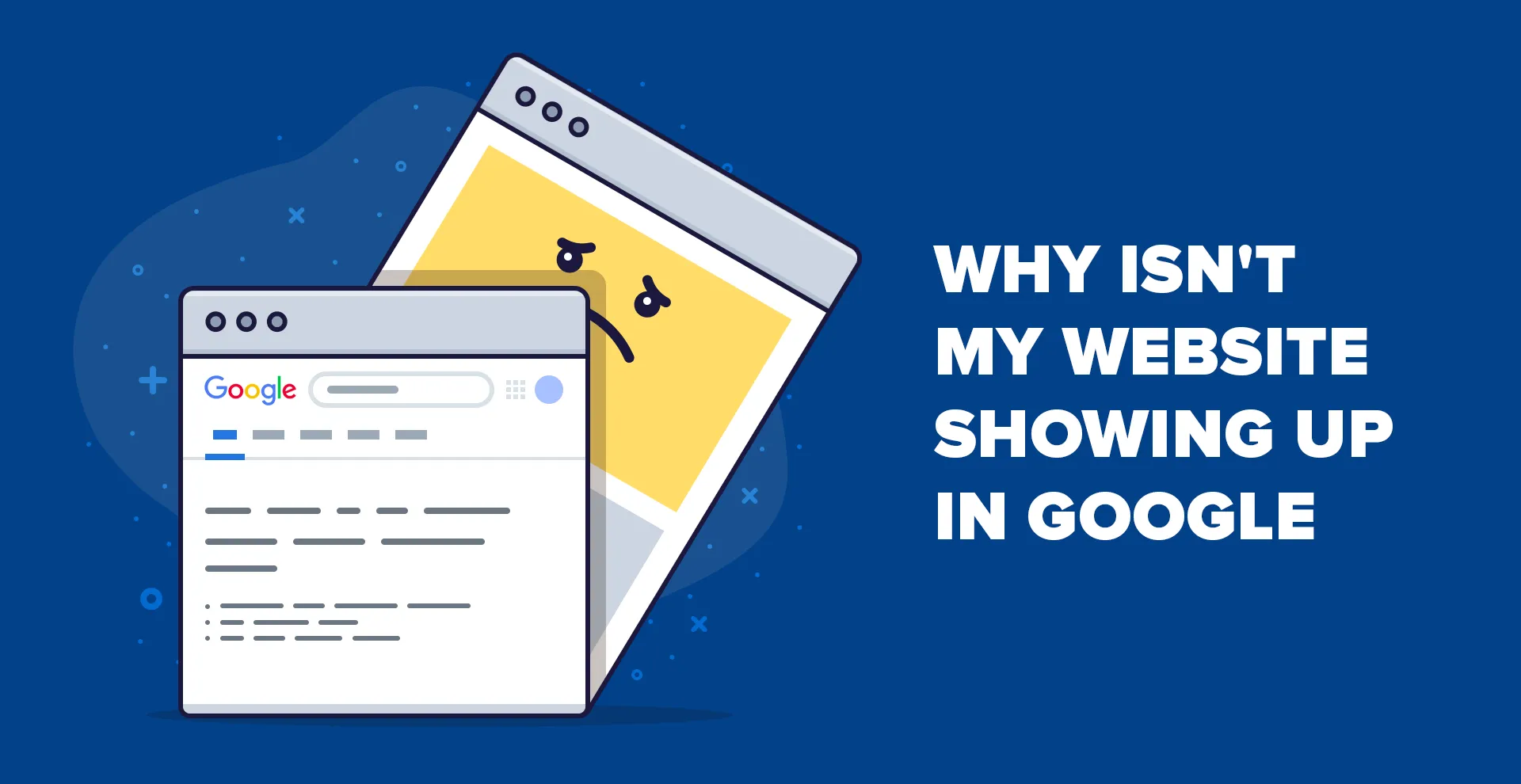
  • Why is My Website Not Showing Up on Google?

    Why is My Website Not Showing Up on Google?

    Have you ever searched your business name or website on Google and found nothing?
    It can be frustrating — especially after you’ve spent time and money designing your site.

    But don’t worry! This is a very common issue that many new website owners face.
    If your website is not appearing on Google, it simply means Google is having trouble finding, understanding, or indexing your site.

    Let’s explore the top reasons why your website might not be showing up — and how you can fix it step-by-step.

    1. Your Website Isn’t Indexed by Google

    For your website to appear on Google, it first needs to be indexed. Indexing means Google has crawled your site and added it to its database.
    If your website isn’t in the index, it won’t appear in any search results.

    How to check if your site is indexed:
    Type this into Google:
    site:yourdomain.com

    If you don’t see any pages listed, your website hasn’t been indexed yet.

    How to fix it:

    This tells Google to crawl and index your site manually.

    2. You Haven’t Submitted a Sitemap

    A sitemap is like a roadmap for Google. It tells search engines which pages exist on your site and how they are connected.

    If you haven’t submitted a sitemap, Google might not know that your pages exist — especially if they don’t have internal links pointing to them.

    How to submit a sitemap:

    1. Open Google Search Console
    2. Click on Sitemaps in the left menu
    3. Enter your sitemap URL (example: https://yourdomain.com/sitemap.xml)
    4. Click Submit

    You can check whether your sitemap exists by visiting yourdomain.com/robots.txt.
    If your sitemap is missing, use an SEO plugin (like Yoast SEO or Rank Math) to generate one easily.

    3. Your Pages Have “Noindex” Tags

    Sometimes developers accidentally add a noindex meta tag to certain pages.
    This tag tells Google: “Don’t show this page in search results.”

    Example:

    <meta name="robots" content="noindex">
    

    If important pages like your homepage or service pages have this tag, they’ll never appear on Google — no matter how good your SEO is.

    How to fix it:

    • Use tools like Screaming Frog, Ahrefs, or your SEO plugin to find noindex pages.
    • Remove the noindex tag from all important pages.

    Once removed, re-submit the URLs in Google Search Console for indexing.

    4. Website On Google Can’t Crawl

    Google discovers new pages by crawling your website using “bots” (also called spiders).
    If your site blocks these crawlers in the robots.txt file, Google won’t be able to access your content.

    How to check:
    In Google Search Console, go to:
    Indexing → Pages → See details

    If you find errors like “Submitted URL blocked by robots.txt,” it means some URLs are restricted.

    How to fix it:

    • Open your robots.txt file (yourdomain.com/robots.txt)
    • Remove any rules that block important pages or directories.
    • Save and test again in Search Console.

    5. Your Pages Don’t Have Internal Links

    Google follows links to discover pages.
    If a page isn’t linked from anywhere on your website, Google might not find it.

    Fix:
    Make sure every important page is linked from your homepage, header, footer, or blog posts.
    Internal linking not only helps Google discover your content faster but also improves SEO and user experience.

    6. Your Website Lacks Quality Backlinks

    Backlinks — links from other websites pointing to yours — are one of the biggest ranking factors in SEO.

    If your competitors have many high-quality backlinks, their pages will rank higher than yours.

    How to build quality backlinks:

    • Write guest posts for other blogs in your industry
    • List your business on trusted directories
    • Share valuable content on social media
    • Collaborate with other brands or influencers

    Remember: quality matters more than quantity. One link from a trusted site can be more valuable than ten from low-quality sites.

    7. Technical SEO Issues or Slow Website Speed

    Even if your content is great, technical problems can prevent Google from ranking your site.
    Common issues include:

    • Slow loading pages
    • Mobile unfriendliness
    • Broken links or 404 errors
    • Duplicate content

    Run a technical SEO audit using tools like Google PageSpeed Insights, Ahrefs, or Semrush.
    Fixing these issues can improve your site’s visibility and ranking.

    Final Thoughts

    If your website is not showing up on Google, don’t panic.
    It’s usually a combination of small indexing or SEO setup issues — and all of them can be fixed.

    At Digipixeline, we help businesses like yours improve their Google visibility, fix technical SEO errors, and grow through smart digital strategies.

    📞 Contact our SEO experts today — and let’s get your website ranking where it deserves to be!

  • What is Search Engine Optimization (SEO)?

    What is Search Engine Optimization (SEO)?

    Search Engine Optimization (SEO) is the art and science of enhancing your website’s visibility on search engines like Google, Bing, and Yahoo. By optimizing various elements of your site, you can attract more organic (non-paid) traffic, improve user experience, and ultimately boost your business’s online presence.

    Understanding SEO

    SEO involves a combination of strategies aimed at improving your website’s ranking on search engine results pages (SERPs). When users search for terms related to your business, effective SEO ensures your site appears prominently, increasing the likelihood of attracting visitors.

    Key Components of SEO

    1. On-Page SEO: This refers to optimizing individual web pages to rank higher and earn more relevant traffic. It includes:
      • Keyword Optimization: Identifying and using relevant keywords in your content.
      • Meta Tags: Crafting compelling title tags and meta descriptions.
      • Header Tags: Using H1, H2, etc., to structure content for readability and relevance.
      • Internal Linking: Connecting related pages within your website to enhance navigation.
    2. Off-Page SEO: Activities conducted outside your website to improve its position in search rankings. This includes:
      • Backlink Building: Acquiring high-quality backlinks from reputable sites.
      • Social Media Engagement: Promoting content through social platforms to increase visibility.
    3. Technical SEO: Ensuring your website meets the technical requirements of modern search engines. Key aspects include:
      • Mobile-Friendliness: Optimizing your site for mobile devices.
      • Site Speed: Ensuring fast loading times to enhance user experience.
      • Secure Sockets Layer (SSL): Implementing HTTPS to secure user data.
      • XML Sitemaps: Helping search engines crawl and index your site effectively.

    How to Improve SEO on Your Website

    1. Conduct Keyword Research: Use tools like Google Keyword Planner or Ahrefs to identify keywords relevant to your business. Incorporate these into your content naturally.
    2. Optimize Content: Create high-quality, informative content that addresses the needs of your audience.
    3. Enhance User Experience: Ensure your website is easy to navigate, mobile-friendly, and fast-loading.
    4. Build Quality Backlinks: Engage in guest blogging, partnerships, and create shareable content to acquire backlinks from reputable sites.
    5. Utilize Analytics: Regularly monitor your website’s performance using tools like Google Analytics and Google Search Console to identify areas for improvement.

    Important SEO Considerations

    • Avoid Keyword Stuffing: Overusing keywords can lead to penalties from search engines.
    • Focus on Quality Content: Prioritize creating valuable content over quantity.
    • Stay Updated with Algorithm Changes: Search engines frequently update their algorithms; staying informed ensures your Search Engine Optimization (SEO) strategies remain effective.

    Why Choose Digipixeline for Your SEO Needs?

    Digipixeline is a premier digital marketing agency based in New Delhi, specializing in SEO services tailored to your business’s unique needs. Here’s why we’re the best choice:

    • Expertise: Our team comprises SEO professionals with extensive experience in various industries.
    • Customized Strategies: We develop SEO strategies aligned with your business goals and target audience.
    • Proven Results: Our clients have experienced significant improvements in search engine rankings and online visibility.
    • Comprehensive Services: Beyond SEO, we offer web development, social media marketing, and pay-per-click advertising to provide a holistic digital marketing approach.

    Partnering with Digipixeline ensures your business stays ahead in the competitive digital landscape.

  • What is Digital Marketing?

    What is Digital Marketing?

    In today’s digital age, traditional marketing methods are no longer sufficient to reach and engage customers effectively. Digital marketing has emerged as a powerful tool for businesses to connect with their target audience, build brand awareness, and drive sales. But what exactly is digital marketing, and why is it crucial for your business?

    Understanding Digital Marketing

    Digital marketing refers to the use of digital channels and technologies to promote and advertise products or services. This includes the internet, mobile devices, social media platforms, search engines, and other digital mediums. Unlike traditional marketing, digital marketing allows businesses to reach a global audience, track customer behavior, and measure the effectiveness of their campaigns in real-time. Wikipedia

    Key Components of Digital Marketing

    Digital marketing encompasses various strategies and tactics, each serving a unique purpose in the marketing funnel:

    1. Search Engine Optimization (SEO)

    SEO involves optimizing your website to rank higher in search engine results pages (SERPs), thereby increasing organic (non-paid) traffic to your site. Effective SEO strategies include keyword research, on-page optimization, and building quality backlinks.

    2. Pay-Per-Click Advertising (PPC)

    PPC is a form of online advertising where businesses pay a fee each time their ad is clicked. Platforms like Google Ads and Bing Ads allow businesses to bid for ad placement in search engine results, driving targeted traffic to their websites.

    3. Social Media Marketing

    Social media platforms like Facebook, Instagram, Twitter, and LinkedIn offer businesses an opportunity to engage with their audience, share content, and promote products or services. Effective social media marketing can enhance brand visibility and foster customer loyalty.

    4. Content Marketing

    Content marketing focuses on creating and distributing valuable, relevant, and consistent content to attract and retain a clearly defined audience. This includes blogs, videos, infographics, and eBooks that provide value to potential customers.

    5. Email Marketing

    Email marketing involves sending targeted messages to a group of recipients via email. It is used to nurture leads, promote products, and build relationships with customers. Personalized and well-timed emails can significantly improve customer engagement.

    6. Affiliate Marketing

    Affiliate marketing is a performance-based strategy where businesses reward affiliates for each customer brought by the affiliate’s marketing efforts. This can be an effective way to expand reach and increase sales.

    7. Influencer Marketing

    Influencer marketing leverages individuals with a large following on social media to promote products or services. Influencers can help businesses reach a broader audience and build trust with potential customers.

    Benefits of Digital Marketing

    Implementing a robust digital marketing strategy offers numerous advantages:

    • Global Reach: Connect with a worldwide audience, breaking geographical barriers.
    • Cost-Effectiveness: Digital marketing often requires a lower investment compared to traditional marketing methods.
    • Measurable Results: Track and analyze campaign performance using analytics tools, allowing for data-driven decisions.
    • Personalization: Tailor marketing messages to individual preferences and behaviors, enhancing customer experience.
    • Engagement: Interact with customers in real-time through social media and other digital platforms.

    Why Digipixeline is Best for Your Business

    When it comes to choosing a digital marketing partner, Digipixeline stands out for several reasons:

    • Comprehensive Services: Digipixeline offers a full spectrum of digital marketing services, including SEO, PPC, social media marketing, content creation, and web development. Digipixeline
    • Tailored Strategies: They understand that each business is unique, and thus, they create customized strategies that align with your specific goals and target audience.
    • Proven Track Record: With a portfolio of successful campaigns across various industries, Digipixeline has demonstrated its ability to deliver results.
    • Expert Team: Their team comprises experienced professionals who stay updated with the latest digital marketing trends and technologies.
    • Client-Centric Approach: Digipixeline prioritizes client satisfaction, ensuring transparent communication and regular performance reports.

    By partnering with Digipixeline, you can leverage their expertise to enhance your online presence, attract more customers, and achieve your business objectives.

    Conclusion

    Digital marketing is no longer optional for businesses aiming to thrive in the modern marketplace. It is an essential component of any successful marketing strategy. By understanding its key components and benefits, and choosing the right digital marketing agency like Digipixeline, you can position your business for sustained growth and success.

  • Best Digital Marketing Agency in Aligarh

    Best Digital Marketing Agency in Aligarh

    In today’s fast-paced digital world, every business needs a strong online presence to succeed. Whether you are running a local shop, startup, or established company, digital marketing can help you reach your target customers more effectively. If you are searching for a trusted digital marketing agency in Aligarh, you’re at the right place.

    A digital marketing agency helps businesses promote their products and services online through strategies like SEO, social media, Google Ads, email marketing, and content marketing. The goal is to increase visibility, attract potential customers, and boost sales.

    Why Your Business in Aligarh Needs Digital Marketing

    Aligarh is a growing city with diverse businesses – from traditional industries to modern startups. But competition is high. Relying only on word-of-mouth or offline marketing isn’t enough. Here’s why digital marketing is important:

    1. Local Reach: With proper local SEO, your business can appear when people search for services like “best restaurant in Aligarh” or “top coaching in Aligarh.”
    2. Cost-Effective: Compared to traditional marketing, digital ads on platforms like Google Ads or Meta Business Suite are much more affordable and measurable.
    3. Targeted Marketing: You can directly reach people who are interested in your services using precise targeting.
    4. Brand Awareness: Social media platforms like Instagram and Facebook are perfect to connect with your audience and build your brand.
    5. Trackable Results: With tools like Google Analytics, you can easily measure how your campaigns are performing.

    Best Plugins for Digital Marketing Success

    If your website is on WordPress, the right plugins can help you manage SEO, speed, and marketing campaigns easily. Here are some recommended plugins with their official links:

    • Yoast SEO – The most popular SEO plugin for optimizing content and keywords.
    • Rank Math – An advanced SEO plugin with AI features.
    • MonsterInsights – Connects Google Analytics with your site to track visitors and conversions.
    • WP Rocket – Boosts website speed, which is crucial for SEO.
    • Elementor – Drag-and-drop website builder to design beautiful, responsive websites.
    • HubSpot WordPress Plugin – Helps with CRM, email marketing, and lead tracking.

    Why Choose Digipixeline – The Best Digital Marketing Agency in Aligarh

    At Digipixeline, we don’t just run campaigns—we deliver measurable results. Our goal is to help your business achieve growth through smart strategies, creative campaigns, and data-driven solutions.

    Here’s why businesses in Aligarh trust us:

    • Local Expertise – We understand the Aligarh market and know how to target your local audience.
    • Affordable Pricing – High-quality digital marketing services at cost-effective rates.
    • Proven Results – From startups to established brands, we have helped businesses achieve real growth.
    • Dedicated Support – We work as your extended team and provide complete support at every step.

    If you want to grow your business online, Digipixeline is your trusted digital marketing agency in Aligarh.