Category: Digital Marketing

Digital marketing uses online platforms like search engines, social media, email, and websites to promote products or services. It focuses on reaching targeted audiences, increasing brand visibility, driving traffic, and generating leads through strategies such as SEO, PPC, content marketing, and analytics-driven campaigns.

  • How to Create a Wikipedia Profile?

    How to Create a Wikipedia Profile?

    In today’s digital era, having a strong online presence is essential for individuals, brands, businesses, and public figures. One of the most powerful ways to establish credibility online is by having a Wikipedia profile. Wikipedia is one of the most trusted and widely visited websites in the world, and being featured on it adds authenticity and authority to your name.

    However, creating a Wikipedia page is not as simple as making a social media profile. It follows strict rules, guidelines, and verification processes. In this blog, Digipixeline Agency explains everything you need to know about creating a Wikipedia profile, including requirements, eligibility, and step-by-step procedures.

    What Is a Wikipedia Profile?

    A Wikipedia profile, also known as a Wikipedia page, is an encyclopedic article about a person, company, brand, organization, or topic. It is written in a neutral and factual tone and is supported by reliable sources.

    Unlike promotional websites, Wikipedia does not allow self-promotion, advertising, or biased content. Every page must provide verifiable and trustworthy information.

    Who Is Eligible for a Wikipedia Page?

    Not everyone is eligible for a Wikipedia profile. Wikipedia follows a principle called “Notability.”

    To qualify, you or your business must meet these basic criteria:

    1. Public Recognition

    You should be recognized in your field, industry, or community.

    2. Media Coverage

    There must be significant coverage in reliable and independent sources such as:

    • News websites
    • Magazines
    • TV channels
    • Online publications
    • Industry journals

    3. Independent Sources

    The sources must not be owned or controlled by you. Your personal website or social media pages are not considered valid references.

    4. Long-Term Presence

    Wikipedia prefers individuals and organizations with a consistent track record rather than newly launched brands.

    Key Requirements for Creating a Wikipedia Page

    Before starting the process, make sure you have the following:

    1. Reliable References

    You need at least 5–10 high-quality references from reputable sources. These should clearly mention your name, work, achievements, or company.

    Examples:

    • Newspaper articles
    • Interviews
    • Press coverage
    • Business features
    • Award announcements

    2. Neutral Content

    Your content must be factual and unbiased. Avoid words like:

    • Best
    • Leading
    • Top
    • No.1
    • Most successful

    Wikipedia does not accept promotional language.

    3. Proper Documentation

    You should have accurate information such as:

    • Full name
    • Date of birth or establishment
    • Education background
    • Career history
    • Achievements
    • Awards
    • Business milestones

    4. Wikipedia Account

    To create or edit pages, you need a registered Wikipedia account. New accounts must follow editing rules carefully.

    Step-by-Step Process to Create a Wikipedia Profile

    Step 1: Research Existing Coverage

    First, search Google and news platforms to check if enough reliable articles are available about you or your business.

    If media coverage is weak, focus on building PR and branding first.

    Step 2: Create a Wikipedia Account

    Go to Wikipedia.org and register an account using your email address. Avoid using company names as usernames.

    Step 3: Prepare Content Draft

    Write your article in a professional, encyclopedic style. A standard Wikipedia page includes:

    Introduction

    A brief overview of who you are and why you are notable.

    Early Life / Background

    Information about education, upbringing, or company foundation.

    Career / Business Journey

    Details about professional growth, major projects, and achievements.

    Major Works / Services

    Information about key products, services, or contributions.

    Awards and Recognition

    Any awards, honors, or official recognition.

    References

    Citations from reliable sources.

    Step 4: Add Citations Properly

    Every major claim must be supported by a reference. Wikipedia uses citation tools to link sources properly.

    Step 5: Submit Through Article Wizard

    Use Wikipedia’s “Article Wizard” to submit your draft. This tool helps beginners follow guidelines.

    Step 6: Review by Wikipedia Editors

    After submission, volunteer editors review your article. They may:

    • Approve it
    • Reject it
    • Ask for changes

    This process may take several days or weeks.

    Step 7: Make Necessary Edits

    If editors suggest improvements, update your content accordingly and resubmit.

    Common Reasons for Wikipedia Page Rejection

    Many Wikipedia pages get rejected due to the following reasons:

    1. Lack of Notability

    Insufficient media coverage is the most common reason.

    2. Promotional Content

    Using marketing language leads to rejection.

    3. Conflict of Interest

    Writing about yourself directly may violate guidelines.

    4. Poor References

    Low-quality or self-published sources are not accepted.

    5. Incomplete Information

    Missing sections and weak structure can cause rejection.

    Why Professional Assistance Is Important

    Creating a Wikipedia page requires expertise, research, and compliance with strict policies. A small mistake can lead to permanent deletion.

    Professional agencies like Digipixeline offer:

    • In-depth notability analysis
    • Professional content writing
    • Verified reference research
    • Policy-compliant formatting
    • Submission management
    • Long-term page monitoring

    With expert support, your chances of approval increase significantly.

    How Digipixeline Agency Helps You

    At Digipixeline, we specialize in Wikipedia profile creation and management. Our experienced team ensures that your profile meets all editorial standards.

    Our services include:

    • Eligibility evaluation
    • Media coverage planning
    • Content development
    • Source verification
    • Page creation
    • Approval assistance
    • Ongoing updates

    We follow ethical and transparent practices to maintain your digital reputation.

    Tips to Maintain Your Wikipedia Profile

    Once your page is approved, maintaining it is equally important.

    Update Regularly

    Add new achievements and references over time.

    Avoid Direct Editing

    It is better to request edits instead of making them yourself.

    Monitor Changes

    Keep track of unauthorized edits.

    Maintain Neutrality

    Always ensure content remains unbiased.

    Conclusion

    Creating a Wikipedia profile is a powerful way to build credibility, trust, and authority in the digital world. However, it requires proper documentation, strong references, and strict adherence to Wikipedia’s guidelines.

    With professional planning and expert support, you can successfully establish your presence on one of the world’s most trusted platforms.

    If you are planning to create a Wikipedia profile for yourself or your business, Digipixeline Agency is here to guide you at every step.

    Let us help you turn your achievements into a verified digital identity.

  • Why Google My Business Profile Is Important for Every Business

    Why Google My Business Profile Is Important for Every Business

    In today’s digital world, customers search online before choosing any product or service. Whether someone is looking for a restaurant, travel agency, salon, or digital marketing service, the first place they go is Google. If your business does not appear in local search results, you are losing potential customers every day.
    This is where Google My Business (GMB) plays a crucial role in business growth.

    What Is Google My Business?

    Google My Business is a free tool provided by Google that allows businesses to manage their online presence across Google Search and Google Maps. It helps you display important business details such as your name, address, phone number, website, business hours, photos, and customer reviews.

    In simple words, Google My Business is your digital storefront on Google.

    Why Google My Business Is Important for Business Growth

    1. Helps You Reach Local Customers Easily

    Most people search for services using terms like “near me” or “best service in my area.”
    A well-optimized Google My Business profile helps your business appear in local search results and Google Maps, making it easier for nearby customers to find you.

    This directly increases walk-in customers, phone calls, and inquiries.

    2. Improves Google Search Visibility

    Having a website alone is not enough. Google My Business supports local SEO, which helps your business rank higher in local search results.

    With an optimized GMB profile:

    • Your business appears in the local 3-pack results
    • You get better visibility on Google Maps
    • Your brand gains more online exposure

    This leads to consistent organic leads without paid ads.

    3. Builds Trust and Credibility

    Customers trust businesses that look professional and active online. A complete Google My Business profile with:

    • Positive reviews
    • High ratings
    • Updated photos
    • Accurate business information

    creates a strong first impression and builds customer confidence.

    ⭐ Businesses with good reviews always attract more customers.

    4. Free and Powerful Marketing Tool

    Google My Business is completely free, yet it works like a powerful marketing channel. You can:

    • Share business updates
    • Promote offers and discounts
    • Highlight new services or products
    • Post photos and announcements

    For small and local businesses, GMB is one of the most cost-effective marketing tools available.

    5. Direct Customer Interaction

    Google My Business allows customers to interact with your business directly. They can:

    • Call you with one click
    • Send messages
    • Get directions to your location
    • Ask questions and leave reviews

    By responding to reviews and messages, you can create a positive brand image and improve customer relationships.

    6. Provides Valuable Business Insights

    Google My Business offers detailed insights such as:

    • How many people viewed your profile
    • How customers found your business
    • Number of calls, website visits, and direction requests
    • Popular search keywords

    These insights help you understand customer behavior and improve your marketing strategy.

    7. Increases Website Traffic and Leads

    A GMB profile allows you to add your website link. When customers find your business on Google, they can directly visit your website.

    This results in:

    • Higher website traffic
    • Better lead generation
    • Improved conversion rates

    It acts as a bridge between local search and your website.

    8. Helps You Stay Ahead of Competitors

    If your competitors have an optimized Google My Business profile and you don’t, customers are more likely to choose them. Regular updates, photos, posts, and reviews help you stand out and stay ahead in local competition.

    How to Optimize Your Google My Business Profile

    To get the best results, your GMB profile should be properly optimized:

    • Complete all business details accurately
    • Choose the right business category
    • Upload high-quality photos regularly
    • Post updates and offers weekly
    • Encourage and respond to customer reviews
    • Add services and products

    Professional management ensures better visibility and long-term growth.

    How Digipixeline Can Help You

    At Digipixeline, we provide complete Google My Business solutions, including:

    • GMB profile setup and verification
    • Profile optimization for local SEO
    • Review and reputation management
    • Regular posts and updates
    • Performance tracking and insights

    Our goal is to help your business get maximum local visibility, leads, and growth.

    Conclusion

    Google My Business is not just an online listing—it is a powerful tool for local business success. If you want more visibility, more customers, and stronger trust on Google, having an optimized GMB profile is essential.

    Start growing your business locally with Google My Business and let Digipixeline manage it professionally for you.

  • How Local SEO Agencies Help Indian Businesses Grow Online

    How Local SEO Agencies Help Indian Businesses Grow Online

    In today’s competitive digital world, simply having a website is no longer enough. Your business needs to be visible at the exact moment customers are searching for your services. This is where Local SEO becomes a powerful growth tool for Indian businesses.

    Local SEO is not just another marketing tactic—it’s a strategic approach that helps businesses attract nearby customers, generate qualified leads, and build long-term trust online. For brands targeting city-wise or region-specific audiences, partnering with a professional Local SEO agency can make all the difference.

    At Digipixeline, we help businesses turn local searches into real customers through data-driven Local SEO strategies.

    Why Local SEO Is Crucial for Indian Businesses

    Over 46% of Google searches have local intent, meaning users are actively looking for businesses near them—whether it’s a restaurant, clinic, agency, or service provider.

    Searches like:

    • “best digital marketing agency near me”
    • “clinic open now”
    • “web developer in Mumbai”

    These users are ready to take action. If your business doesn’t appear in local search results, you’re losing high-intent customers to competitors.

    Local SEO services in India help your brand:

    • Appear in Google Maps and local search results
    • Reach customers within your service area
    • Drive calls, visits, and enquiries faster

    How a Local SEO Agency Helps Your Business Stand Out

    Unlike generic SEO strategies, a Local SEO agency focuses on dominating your immediate market.

    Key Benefits of Local SEO

    • Higher visibility in Google’s Local Pack (top 3 map listings)
    • Better rankings for “near me” and city-based searches
    • Increased website traffic from local users
    • More walk-ins for physical businesses
    • Higher-quality leads with better conversion rates

    Local SEO doesn’t just increase traffic—it attracts the right audience at the right time.

    How Local SEO Agencies Drive Results

    A professional Local SEO agency integrates optimisation into every layer of your digital presence.

    1. Local-Focused Website Structure

    • SEO-friendly URLs with city and service keywords
    • Dedicated location or service-area pages
    • Clear navigation for users and search engines

    2. Mobile & Speed Optimisation

    Most local searches happen on mobile devices. Agencies ensure your website is:

    • Fully mobile responsive
    • Fast-loading
    • Optimised for user experience and rankings

    3. Schema Markup & Structured Data

    Local schema helps search engines understand your business details such as:

    • Address
    • Phone number
    • Business hours
    • Reviews

    This improves visibility and click-through rates.

    4. Google Business Profile Optimisation

    Your Google Business Profile is the backbone of Local SEO. Agencies manage:

    • Accurate business details
    • Regular updates and posts
    • Review management and responses
    • Q&A optimisation

    5. Localised Content Strategy

    Content is tailored for your city and audience through:

    • Local blog posts
    • City-based service pages
    • Location-specific FAQs

    This builds local authority and boosts rankings organically.

    Business Benefits of Local SEO

    When Local SEO is implemented correctly, businesses experience:

    • Increased visibility among nearby customers
    • Stronger brand trust through reviews and ratings
    • Lower customer acquisition cost than paid ads
    • Higher ROI and long-term results
    • Competitive advantage over local competitors

    Unlike short-term advertising, Local SEO delivers sustainable growth month after month.

    How to Measure Local SEO Success

    A reliable Local SEO agency tracks meaningful metrics such as:

    • Google Business Profile insights (calls, directions, views)
    • Local keyword rankings
    • Location-wise website traffic
    • Click-through rates from local searches
    • Conversions from local landing pages

    At Digipixeline, we provide transparent reporting and performance insights so you always know how your business is growing.

    Choosing the Right Local SEO Agency in India

    Before selecting a Local SEO partner, ensure they:

    • Have proven experience with Indian businesses
    • Offer combined SEO and web development services
    • Understand regional search behaviour
    • Follow white-hat SEO practices
    • Provide clear reporting and ROI tracking

    A strong Local SEO strategy requires consistency, expertise, and local market knowledge.

    The Future of Digital Growth Is Local

    With the rise of:

    • Voice search
    • Mobile-first indexing
    • Hyper-local results

    Local SEO will continue to shape how customers discover businesses online. Brands that invest early will dominate their local markets.

    SEO should never be an afterthought—it must be built into your website from day one.

    Making Local SEO Work for Your Business

    To get maximum results from Local SEO:

    • Build your website with local intent
    • Optimise for mobile speed and UX
    • Strengthen your Google Business Profile
    • Publish location-based content
    • Partner with experienced SEO professionals

    Final Thoughts

    If your customers are local, your SEO strategy should be local too. A well-executed Local SEO plan ensures your business doesn’t just exist online—but gets discovered, trusted, and chosen.

    At Digipixeline, we specialise in Local SEO services in India that help businesses rank higher, attract quality leads, and grow consistently. Whether you want to increase visibility in your city or dominate your local industry, our customised Local SEO strategies are designed to deliver measurable results.

  • How Digital Marketing Differs from Traditional Marketing

    How Digital Marketing Differs from Traditional Marketing

    Marketing has always been about connecting with your audience at the right place and time. Traditionally, that meant reaching customers through TV, radio, print, or billboards. But in today’s fast-paced digital world, businesses have more powerful and measurable tools — thanks to digital marketing.

    While both traditional and digital marketing aim to promote a product or service, the methods, reach, and impact are completely different. Let’s explore how digital marketing stands apart from traditional marketing and how strategies like on-page SEO and off-page SEO play an important role in boosting visibility.

    1. Platform and Reach

    Traditional marketing uses offline channels such as newspapers, magazines, flyers, radio, and television. These platforms reach local audiences and are great for building brand awareness.

    Digital marketing, on the other hand, happens online — through search engines, social media, emails, websites, and apps. The internet gives you the power to reach a global audience instantly. Whether your customer is in the same city or across the world, online advertising makes it easy to connect and communicate in real-time.

    2. Cost and ROI (Return on Investment)

    One of the biggest advantages of digital marketing is its cost-effectiveness. Running a social media campaign or Google Ad costs much less than a full-page newspaper ad or TV commercial.

    Traditional marketing involves high production and distribution costs, making it harder for small businesses to compete. Digital campaigns allow you to start with any budget and scale as you grow. Even better — digital platforms provide analytics that help you track performance and calculate ROI precisely.

    To improve ROI, businesses often optimize their pages using on-page SEO techniques like keyword optimization, internal linking, and meta descriptions.

    3. Targeting and Personalization

    Traditional marketing casts a wide net — your TV or newspaper ad might reach thousands, but not all of them are your ideal customers.

    Digital marketing allows laser-sharp targeting. You can reach audiences based on age, interests, location, or behavior. Personalization goes further — you can send customized messages, show relevant ads, and build stronger relationships.

    For example, email marketing and retargeting ads help businesses connect with users who have already shown interest in their products or services.

    4. Measurability and Analytics

    In traditional marketing, it’s difficult to know how many people saw your ad or took action because of it.

    With digital marketing, you get real-time data and insights. Tools like Google Analytics show exactly how many people viewed, clicked, and converted. This data-driven approach helps you refine your strategy for better performance.

    You can also monitor off-page SEO metrics like backlinks, domain authority, and referral traffic using tools such as Ahrefs or SEMrush.

    5. Engagement and Interaction

    Traditional marketing is a one-way communication — businesses talk, and customers listen.

    Digital marketing enables two-way interaction through social media, live chats, or comment sections. Customers can like, share, and message directly. This engagement builds brand trust and loyalty.

    Platforms like Facebook Business, Instagram for Business, and LinkedIn Marketing help businesses communicate more effectively with their audience.

    6. Speed and Flexibility

    Traditional campaigns require long planning timelines — designing print materials or booking media slots. Once it’s live, changes are hard to make.

    Digital marketing is fast, flexible, and dynamic. You can launch, test, and adjust campaigns instantly. If something isn’t performing, you can optimize it immediately without wasting time or money.

    For instance, updating a blog’s keyword structure or meta tags (a part of on-page SEO) can quickly improve search visibility.

    7. Longevity and Shelf Life

    A print ad or billboard runs for a limited time. Once it’s gone, it’s gone.

    Digital marketing content — like blogs, videos, or SEO articles — can bring visitors for months or even years. Evergreen content continues to attract leads long after it’s published, giving a better return on your investment.

    You can also boost your website authority by building quality backlinks from relevant, high-domain sites — a crucial part of off-page SEO.

    Final Thoughts

    Both traditional and digital marketing have their strengths. Traditional marketing builds offline brand credibility, while digital marketing provides better targeting, measurement, and engagement.

    However, as consumer behavior continues to move online, investing in digital marketing and strong SEO strategies (both on-page and off-page) is essential for business growth.

    If you want to grow your brand visibility and get measurable results, explore Digipixeline’s digital marketing services — designed to help your business reach the right audience with the right message.

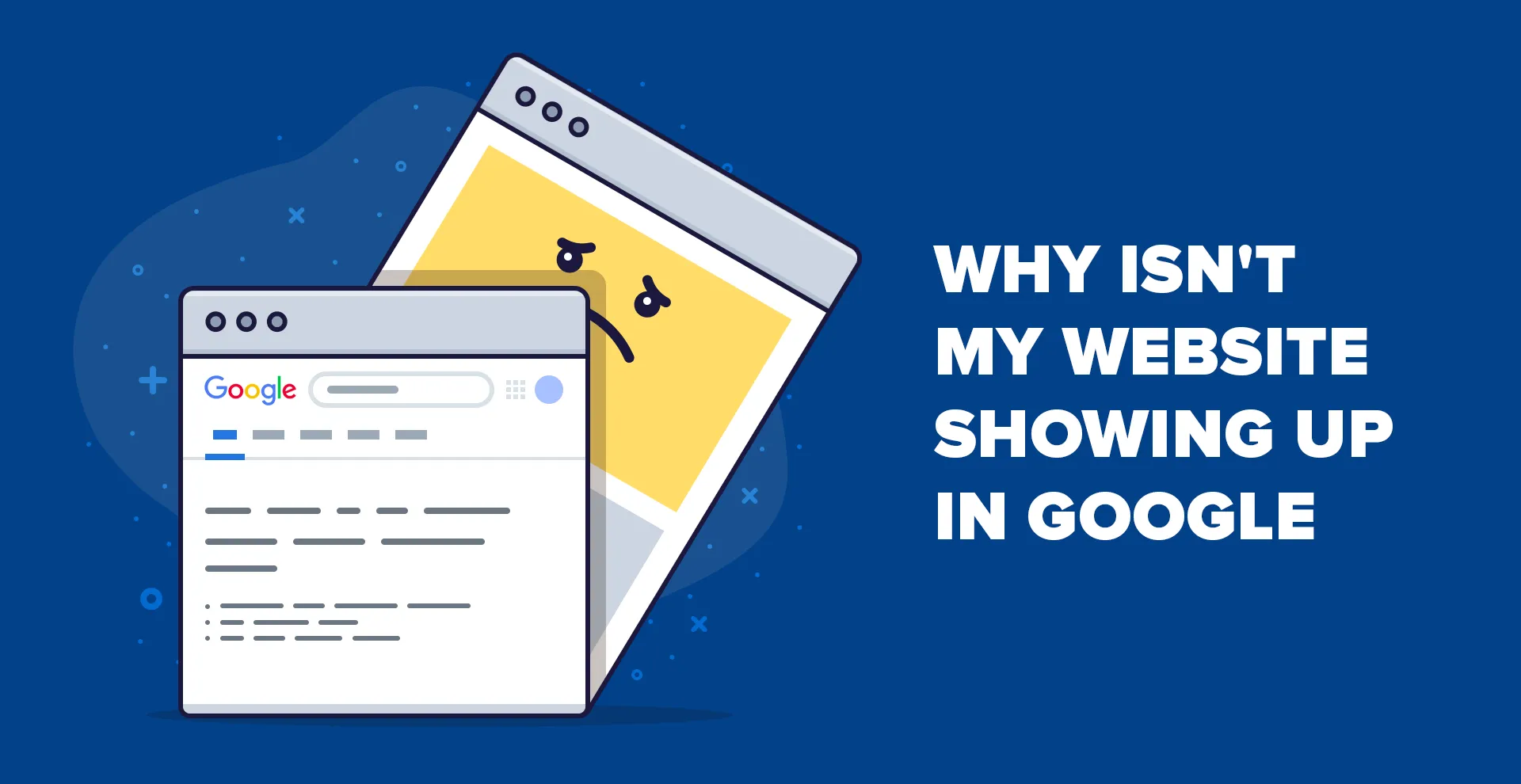
  • Why is My Website Not Showing Up on Google?

    Why is My Website Not Showing Up on Google?

    Have you ever searched your business name or website on Google and found nothing?
    It can be frustrating — especially after you’ve spent time and money designing your site.

    But don’t worry! This is a very common issue that many new website owners face.
    If your website is not appearing on Google, it simply means Google is having trouble finding, understanding, or indexing your site.

    Let’s explore the top reasons why your website might not be showing up — and how you can fix it step-by-step.

    1. Your Website Isn’t Indexed by Google

    For your website to appear on Google, it first needs to be indexed. Indexing means Google has crawled your site and added it to its database.
    If your website isn’t in the index, it won’t appear in any search results.

    How to check if your site is indexed:
    Type this into Google:
    site:yourdomain.com

    If you don’t see any pages listed, your website hasn’t been indexed yet.

    How to fix it:

    This tells Google to crawl and index your site manually.

    2. You Haven’t Submitted a Sitemap

    A sitemap is like a roadmap for Google. It tells search engines which pages exist on your site and how they are connected.

    If you haven’t submitted a sitemap, Google might not know that your pages exist — especially if they don’t have internal links pointing to them.

    How to submit a sitemap:

    1. Open Google Search Console
    2. Click on Sitemaps in the left menu
    3. Enter your sitemap URL (example: https://yourdomain.com/sitemap.xml)
    4. Click Submit

    You can check whether your sitemap exists by visiting yourdomain.com/robots.txt.
    If your sitemap is missing, use an SEO plugin (like Yoast SEO or Rank Math) to generate one easily.

    3. Your Pages Have “Noindex” Tags

    Sometimes developers accidentally add a noindex meta tag to certain pages.
    This tag tells Google: “Don’t show this page in search results.”

    Example:

    <meta name="robots" content="noindex">
    

    If important pages like your homepage or service pages have this tag, they’ll never appear on Google — no matter how good your SEO is.

    How to fix it:

    • Use tools like Screaming Frog, Ahrefs, or your SEO plugin to find noindex pages.
    • Remove the noindex tag from all important pages.

    Once removed, re-submit the URLs in Google Search Console for indexing.

    4. Website On Google Can’t Crawl

    Google discovers new pages by crawling your website using “bots” (also called spiders).
    If your site blocks these crawlers in the robots.txt file, Google won’t be able to access your content.

    How to check:
    In Google Search Console, go to:
    Indexing → Pages → See details

    If you find errors like “Submitted URL blocked by robots.txt,” it means some URLs are restricted.

    How to fix it:

    • Open your robots.txt file (yourdomain.com/robots.txt)
    • Remove any rules that block important pages or directories.
    • Save and test again in Search Console.

    5. Your Pages Don’t Have Internal Links

    Google follows links to discover pages.
    If a page isn’t linked from anywhere on your website, Google might not find it.

    Fix:
    Make sure every important page is linked from your homepage, header, footer, or blog posts.
    Internal linking not only helps Google discover your content faster but also improves SEO and user experience.

    6. Your Website Lacks Quality Backlinks

    Backlinks — links from other websites pointing to yours — are one of the biggest ranking factors in SEO.

    If your competitors have many high-quality backlinks, their pages will rank higher than yours.

    How to build quality backlinks:

    • Write guest posts for other blogs in your industry
    • List your business on trusted directories
    • Share valuable content on social media
    • Collaborate with other brands or influencers

    Remember: quality matters more than quantity. One link from a trusted site can be more valuable than ten from low-quality sites.

    7. Technical SEO Issues or Slow Website Speed

    Even if your content is great, technical problems can prevent Google from ranking your site.
    Common issues include:

    • Slow loading pages
    • Mobile unfriendliness
    • Broken links or 404 errors
    • Duplicate content

    Run a technical SEO audit using tools like Google PageSpeed Insights, Ahrefs, or Semrush.
    Fixing these issues can improve your site’s visibility and ranking.

    Final Thoughts

    If your website is not showing up on Google, don’t panic.
    It’s usually a combination of small indexing or SEO setup issues — and all of them can be fixed.

    At Digipixeline, we help businesses like yours improve their Google visibility, fix technical SEO errors, and grow through smart digital strategies.

    📞 Contact our SEO experts today — and let’s get your website ranking where it deserves to be!

  • Top Digital Marketing Agency in Uttam Nagar

    Top Digital Marketing Agency in Uttam Nagar

    We live in a time marked by remarkable technological advancements that have transformed everyday life. In business, technology plays a crucial role, and one area where this is highly visible is Digital Marketing. Businesses in Uttam Nagar can leverage expert Digital Marketing services, whether from individual experts or established companies like Digipixeline, for long-term growth and visibility.

    What Is Digital Marketing?

    Digital marketing is more than just promoting products online—it is a lifetime asset for businesses. By leveraging search engines, social media, websites, and paid campaigns, businesses can reach a wider audience, improve brand awareness, and boost revenue.

    Whether your industry is e-commerce, healthcare, hospitality, or restaurants, a professional Digital Marketing Company in Uttam Nagar like Digipixeline can design strategies tailored to your business goals.

    Benefits of Digital Marketing Services in Uttam Nagar

    1. Global Reach
    Digital marketing allows businesses to connect with audiences worldwide. With targeted campaigns, even international customers can discover your brand. Learn more about global digital marketing strategies.

    2. Cost-Effective & Higher ROI
    Compared to traditional marketing, digital marketing is budget-friendly and generates measurable returns. Explore our SEO & PPC services for maximum ROI.

    3. Measurable Results
    Tools like Google Analytics allow businesses to track campaign performance in real-time. With professional guidance from Digipixeline, you can make data-driven decisions. Check out our analytics solutions.

    4. Increased Conversions
    Digital marketing helps identify the right audience and deliver targeted messages, improving conversion rates. Learn how social media marketing can boost engagement.

    5. Enhanced Customer Experience
    Quick responses to customer queries and personalized campaigns create a better experience and build loyalty. Discover our content marketing strategies.

    6. Strong Brand Visibility
    Through paid campaigns, social media, and SEO, your brand becomes visible even in new markets. Explore branding services for maximum reach.

    Why Choose Digipixeline?

    Digipixeline is a leading Digital Marketing Company in Uttam Nagar with years of experience and a skilled team of marketers. Our services include:

    • SEO & Voice Search Optimization
    • AI & ML-powered marketing strategies
    • Content marketing and copywriting
    • Social media campaigns and paid advertising
    • Reputation management and analytics

    We help businesses turn websites into revenue-generating channels. Learn more about our digital marketing services.

    Why Investing in Digipixeline Is Worth It

    Since 2011, Digipixeline has been helping B2B and B2C businesses achieve their digital marketing goals. Our commitment to innovation, quality, and client satisfaction sets us apart. We specialize in:

    • Professional SEO and SMM expertise
    • Innovative and measurable marketing strategies
    • Timely project delivery and budget-friendly packages
    • Brand growth, visibility, and long-term partnerships
    • High-level security for networks and data

    Check out our client success stories to see how we’ve helped businesses grow.

  • What is Search Engine Optimization (SEO)?

    What is Search Engine Optimization (SEO)?

    Search Engine Optimization (SEO) is the art and science of enhancing your website’s visibility on search engines like Google, Bing, and Yahoo. By optimizing various elements of your site, you can attract more organic (non-paid) traffic, improve user experience, and ultimately boost your business’s online presence.

    Understanding SEO

    SEO involves a combination of strategies aimed at improving your website’s ranking on search engine results pages (SERPs). When users search for terms related to your business, effective SEO ensures your site appears prominently, increasing the likelihood of attracting visitors.

    Key Components of SEO

    1. On-Page SEO: This refers to optimizing individual web pages to rank higher and earn more relevant traffic. It includes:
      • Keyword Optimization: Identifying and using relevant keywords in your content.
      • Meta Tags: Crafting compelling title tags and meta descriptions.
      • Header Tags: Using H1, H2, etc., to structure content for readability and relevance.
      • Internal Linking: Connecting related pages within your website to enhance navigation.
    2. Off-Page SEO: Activities conducted outside your website to improve its position in search rankings. This includes:
      • Backlink Building: Acquiring high-quality backlinks from reputable sites.
      • Social Media Engagement: Promoting content through social platforms to increase visibility.
    3. Technical SEO: Ensuring your website meets the technical requirements of modern search engines. Key aspects include:
      • Mobile-Friendliness: Optimizing your site for mobile devices.
      • Site Speed: Ensuring fast loading times to enhance user experience.
      • Secure Sockets Layer (SSL): Implementing HTTPS to secure user data.
      • XML Sitemaps: Helping search engines crawl and index your site effectively.

    How to Improve SEO on Your Website

    1. Conduct Keyword Research: Use tools like Google Keyword Planner or Ahrefs to identify keywords relevant to your business. Incorporate these into your content naturally.
    2. Optimize Content: Create high-quality, informative content that addresses the needs of your audience.
    3. Enhance User Experience: Ensure your website is easy to navigate, mobile-friendly, and fast-loading.
    4. Build Quality Backlinks: Engage in guest blogging, partnerships, and create shareable content to acquire backlinks from reputable sites.
    5. Utilize Analytics: Regularly monitor your website’s performance using tools like Google Analytics and Google Search Console to identify areas for improvement.

    Important SEO Considerations

    • Avoid Keyword Stuffing: Overusing keywords can lead to penalties from search engines.
    • Focus on Quality Content: Prioritize creating valuable content over quantity.
    • Stay Updated with Algorithm Changes: Search engines frequently update their algorithms; staying informed ensures your Search Engine Optimization (SEO) strategies remain effective.

    Why Choose Digipixeline for Your SEO Needs?

    Digipixeline is a premier digital marketing agency based in New Delhi, specializing in SEO services tailored to your business’s unique needs. Here’s why we’re the best choice:

    • Expertise: Our team comprises SEO professionals with extensive experience in various industries.
    • Customized Strategies: We develop SEO strategies aligned with your business goals and target audience.
    • Proven Results: Our clients have experienced significant improvements in search engine rankings and online visibility.
    • Comprehensive Services: Beyond SEO, we offer web development, social media marketing, and pay-per-click advertising to provide a holistic digital marketing approach.

    Partnering with Digipixeline ensures your business stays ahead in the competitive digital landscape.

  • Common SEO Mistakes You Should Avoid & How to Fix Them?

    Common SEO Mistakes You Should Avoid & How to Fix Them?

    In today’s digital landscape, Search Engine Optimization (SEO) is crucial for businesses aiming to enhance their online visibility and attract organic traffic. However, many businesses unknowingly commit SEO mistakes that can hinder their website’s performance. This blog highlights common SEO errors and provides actionable solutions to rectify them.

    1. Keyword Stuffing

    Mistake: Overloading content with keywords in an unnatural manner.

    Fix: Integrate keywords naturally into your content, ensuring it reads smoothly for users. Focus on user intent and provide valuable information. Tools like Google’s Keyword Planner can assist in identifying relevant keywords.

    2. Ignoring Mobile Optimization

    Mistake: Neglecting mobile responsiveness.

    Fix: Implement a mobile-first design approach. Utilize responsive web design techniques to ensure your website functions seamlessly across all devices. Google’s Mobile-Friendly Test can help assess your site’s mobile compatibility.

    3. Slow Page Load Speed

    Mistake: Having a website that takes too long to load.

    Fix: Optimize images, leverage browser caching, and minimize JavaScript to enhance loading times. Google’s PageSpeed Insights provides insights and recommendations for improving site speed.

    4. Duplicate Content

    Mistake: Publishing identical or very similar content on multiple pages.

    Fix: Use canonical tags to indicate the preferred version of a page. Regularly audit your site for duplicate content and consolidate similar pages.

    5. Neglecting Meta Tags

    Mistake: Forgetting to optimize title tags and meta descriptions.

    Fix: Craft unique and compelling title tags and meta descriptions for each page. Incorporate primary keywords and ensure they accurately represent the page content.

    6. Overlooking Analytics

    Mistake: Not tracking website performance.

    Fix: Set up Google Analytics and Google Search Console to monitor traffic, user behavior, and site performance. Regularly review these metrics to make informed decisions.

    7. Poor Internal Linking

    Mistake: Having a disorganized internal linking structure.

    Fix: Create a logical and hierarchical internal linking structure. Use descriptive anchor texts to guide users and search engines to related content.

    8. Ignoring Local SEO

    Mistake: Not optimizing for local search queries.

    Fix: Claim and optimize your Google My Business listing. Encourage customer reviews and ensure your business information is consistent across all platforms.

    9. Using Low-Quality Backlinks

    Mistake: Acquiring backlinks from irrelevant or low-authority sites.

    Fix: Focus on obtaining backlinks from reputable and relevant websites. Engage in guest blogging, partnerships, and content marketing to build quality backlinks.

    10. Not Updating Content Regularly

    Mistake: Leaving content outdated.

    Fix: Regularly review and update content to ensure its relevance and accuracy. Fresh content signals to search engines that your site is active and authoritative.

    Why Digipixeline is the Best for Your Business

    Digipixeline is a premier digital marketing agency based in Delhi, specializing in SEO, website development, and online branding. With a proven track record of helping businesses enhance their online presence, Digipixeline offers:

    • Customized SEO Strategies: Tailored approaches to meet your business goals.
    • Comprehensive Digital Solutions: From website development to social media marketing.
    • Data-Driven Results: Utilizing analytics to drive decisions and measure success.
    • Dedicated Support: A team committed to your business growth.

    Partnering with Digipixeline ensures your business stays ahead in the competitive digital landscape. Visit blog.digipixeline.com to learn more and get started.

  • What is Digital Marketing?

    What is Digital Marketing?

    In today’s digital age, traditional marketing methods are no longer sufficient to reach and engage customers effectively. Digital marketing has emerged as a powerful tool for businesses to connect with their target audience, build brand awareness, and drive sales. But what exactly is digital marketing, and why is it crucial for your business?

    Understanding Digital Marketing

    Digital marketing refers to the use of digital channels and technologies to promote and advertise products or services. This includes the internet, mobile devices, social media platforms, search engines, and other digital mediums. Unlike traditional marketing, digital marketing allows businesses to reach a global audience, track customer behavior, and measure the effectiveness of their campaigns in real-time. Wikipedia

    Key Components of Digital Marketing

    Digital marketing encompasses various strategies and tactics, each serving a unique purpose in the marketing funnel:

    1. Search Engine Optimization (SEO)

    SEO involves optimizing your website to rank higher in search engine results pages (SERPs), thereby increasing organic (non-paid) traffic to your site. Effective SEO strategies include keyword research, on-page optimization, and building quality backlinks.

    2. Pay-Per-Click Advertising (PPC)

    PPC is a form of online advertising where businesses pay a fee each time their ad is clicked. Platforms like Google Ads and Bing Ads allow businesses to bid for ad placement in search engine results, driving targeted traffic to their websites.

    3. Social Media Marketing

    Social media platforms like Facebook, Instagram, Twitter, and LinkedIn offer businesses an opportunity to engage with their audience, share content, and promote products or services. Effective social media marketing can enhance brand visibility and foster customer loyalty.

    4. Content Marketing

    Content marketing focuses on creating and distributing valuable, relevant, and consistent content to attract and retain a clearly defined audience. This includes blogs, videos, infographics, and eBooks that provide value to potential customers.

    5. Email Marketing

    Email marketing involves sending targeted messages to a group of recipients via email. It is used to nurture leads, promote products, and build relationships with customers. Personalized and well-timed emails can significantly improve customer engagement.

    6. Affiliate Marketing

    Affiliate marketing is a performance-based strategy where businesses reward affiliates for each customer brought by the affiliate’s marketing efforts. This can be an effective way to expand reach and increase sales.

    7. Influencer Marketing

    Influencer marketing leverages individuals with a large following on social media to promote products or services. Influencers can help businesses reach a broader audience and build trust with potential customers.

    Benefits of Digital Marketing

    Implementing a robust digital marketing strategy offers numerous advantages:

    • Global Reach: Connect with a worldwide audience, breaking geographical barriers.
    • Cost-Effectiveness: Digital marketing often requires a lower investment compared to traditional marketing methods.
    • Measurable Results: Track and analyze campaign performance using analytics tools, allowing for data-driven decisions.
    • Personalization: Tailor marketing messages to individual preferences and behaviors, enhancing customer experience.
    • Engagement: Interact with customers in real-time through social media and other digital platforms.

    Why Digipixeline is Best for Your Business

    When it comes to choosing a digital marketing partner, Digipixeline stands out for several reasons:

    • Comprehensive Services: Digipixeline offers a full spectrum of digital marketing services, including SEO, PPC, social media marketing, content creation, and web development. Digipixeline
    • Tailored Strategies: They understand that each business is unique, and thus, they create customized strategies that align with your specific goals and target audience.
    • Proven Track Record: With a portfolio of successful campaigns across various industries, Digipixeline has demonstrated its ability to deliver results.
    • Expert Team: Their team comprises experienced professionals who stay updated with the latest digital marketing trends and technologies.
    • Client-Centric Approach: Digipixeline prioritizes client satisfaction, ensuring transparent communication and regular performance reports.

    By partnering with Digipixeline, you can leverage their expertise to enhance your online presence, attract more customers, and achieve your business objectives.

    Conclusion

    Digital marketing is no longer optional for businesses aiming to thrive in the modern marketplace. It is an essential component of any successful marketing strategy. By understanding its key components and benefits, and choosing the right digital marketing agency like Digipixeline, you can position your business for sustained growth and success.

  • How to Install WordPress in Hostinger Step by Step

    How to Install WordPress in Hostinger Step by Step

    If you’ve purchased hosting from Hostinger and want to build your website with WordPress, you’ve made the right choice! WordPress is the world’s most popular website builder and Hostinger makes it super easy to set up. In this guide, we’ll walk you through a step-by-step process of installing WordPress on Hostinger.

    By the end of this article, you’ll have a fully functional WordPress site ready to go.

    Step 1: Log in to Your Hostinger Account

    • Go to Hostinger Login.
    • Enter your registered email and password.
    • Once logged in, you’ll be redirected to the hPanel dashboard.

    Step 2: Choose Your Hosting Plan

    If you’ve already purchased a hosting plan, skip this step.

    • From the Hostinger dashboard, select your hosting plan.
    • Click on Manage to access your hosting panel.

    Step 3: Install WordPress via Auto Installer

    Hostinger provides an Auto Installer that makes the setup easy.

    1. In hPanel, find the Website → Auto Installer option.
    2. Select WordPress.
    3. Fill in the following details:
      • Website Title (Your site’s name)
      • Admin Username & Password (Keep this safe)
      • Admin Email (Used for site recovery)
      • Language (Choose English or your preferred language)
    4. Click Install.

    Within a few minutes, WordPress will be installed.

    Step 4: Connect Your Domain

    If you already have a domain purchased, connect it to your hosting:

    • Go to Domains → DNS Settings in hPanel.
    • Update your Nameservers (provided by Hostinger).
    • Once updated, it might take a few hours to propagate worldwide.

    Now your WordPress site will be accessible using your domain.

    Step 5: Log in to WordPress Dashboard

    • Visit yourdomain.com/wp-admin.
    • Enter the admin username and password you set during installation.
    • You’ll now see the WordPress Dashboard, where you can install themes, plugins, and create pages.

    Step 6: Choose a Theme

    A theme controls how your website looks.

    • From your WordPress Dashboard, go to Appearance → Themes → Add New.
    • You can install free themes like Astra, GeneratePress, or use premium ones.
    • Customize your theme as per your brand style.

    Step 7: Install Essential Plugins

    Plugins add functionality to your WordPress site. Here are some must-have plugins with official links:

    These plugins are lightweight, reliable, and recommended for beginners.

    Why WordPress + Hostinger is the Best Choice

    • Affordable Hosting Plans starting from just a few dollars a month.
    • One-click WordPress installation through hPanel.
    • 24/7 customer support in case you get stuck.
    • Free SSL certificate & email accounts included.
    • Fast performance with LiteSpeed servers.

    With this combo, your website is secure, fast, and SEO-friendly.

    Final Words

    Installing WordPress on Hostinger is quick and beginner-friendly. With just a few clicks, you can launch your website, customize it with themes, and enhance it with plugins. And if you want expert help with web design, SEO, or digital marketing, Digipixeline is here to make your business shine online.